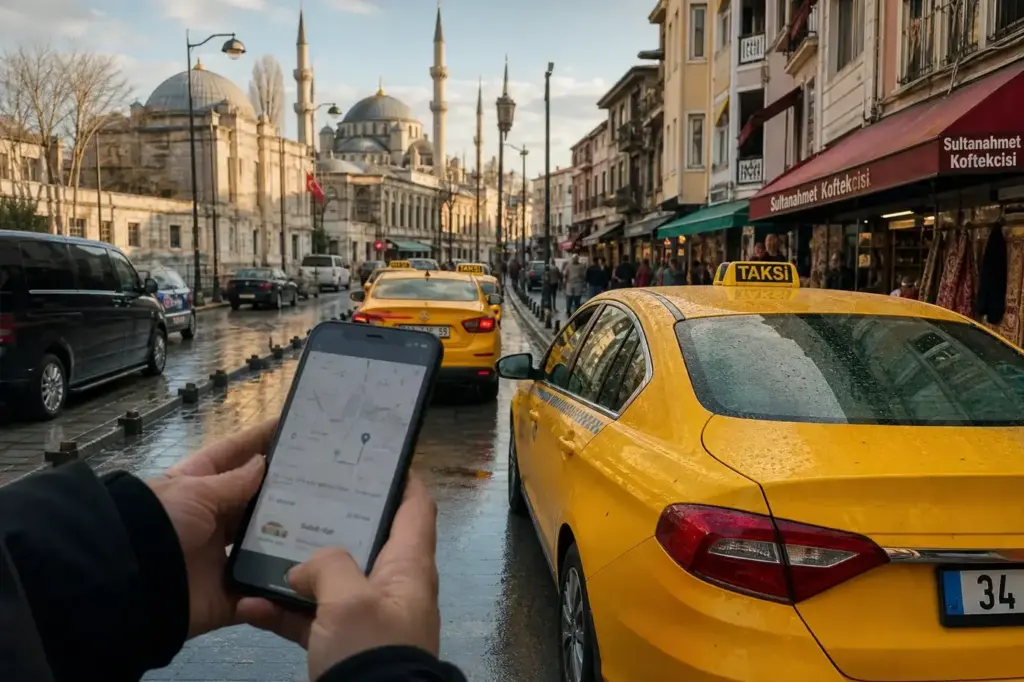
Whether you’re arriving at the airport or moving around the city, taxi apps remove the guesswork from getting around Istanbul safely. This guide shows you how to use BiTaksi (the dominant local choice) and Uber (familiar to most visitors), both of which connect you with licensed yellow taxis through your phone.
The key difference between apps and street taxis: you see the driver’s identity and plate before they arrive, the fare is transparent, and payment happens in the app—no haggling, no language barrier, no unexpected detours. Learn how to set up and use these apps step by step.
Current access notice: As of October 2026: Both BiTaksi and Uber operate normally in Istanbul. App versions change frequently; ensure your app is up to date before using it. If you encounter "no drivers available" after waiting 10+ minutes in a central area, check that location services are on and try requesting again.
Quick answer: Download the app, create an account with a phone number, set your pickup location on the map, add your destination, and confirm the driver's details before boarding. The meter runs from when you get in; pay in-app or by cash. Total time from app request to pickup: 3–10 minutes in central areas, longer in outer neighbourhoods.
At a Glance
| Total time | 3–10 minutes pickup in central Istanbul; 10–20 minutes in outer areas or rush hour. |
|---|---|
| Typical cost | ₺₺ (meter-based fares; exact cost depends on distance, time of day, traffic and toll roads) |
What You Need Before You Start
- Smartphone with iOS or Android (app store access)
- Phone number to verify your account (Turkish SIM preferred, optional for Uber if you have international roaming)
- Credit card or cash (most apps accept both; cash riders should carry small bills)
- Location services turned on (GPS required to set pickup and destination)
- Destination address or landmark name in English or Turkish
Compare Your Options
| Option | Duration | Price | Notes |
|---|---|---|---|
| BiTaksi | 3–8 minutes pickup (fastest in central areas) | ₺₺ | Largest driver pool in Istanbul. Open to all users without account approval delay. Card or cash. English interface. Can surge during peak hours but regulated. Most used by locals; fastest pickup. |
| Uber | 5–12 minutes pickup | ₺₺ | Smaller driver pool than BiTaksi but growing. Familiar interface if you use Uber elsewhere. Card payment primary; cash also accepted. Foreign cards work well. May take slightly longer to match a driver outside central districts. |
| iTaksi (municipal app) | 8–15 minutes pickup | ₺ | Official Istanbul Metropolitan Municipality app. No surge pricing by regulation. Smaller pool; less polished interface. Best if you want to avoid any surge charge. All rides on strictly regulated meter. |
| Hail a street taxi | Instant if available | ₺₺ | Yellow taxi stands throughout the city. No app needed. Meter-based. Risk: language barrier, refusal of short trips in busy areas, no pre-recorded proof of transaction. Not recommended for first-time visitors or those unfamiliar with the city. |
| Hotel concierge or private transfer | 10–20 minutes response time | ₺₺₺ | Hotel desk can arrange a metered taxi or fixed-price transfer. More expensive but guaranteed language support and written confirmation. Best for first arrival or late-night airport transfers. |
₺ budget · ₺₺ moderate · ₺₺₺ upscale · ₺₺₺₺ splurge. Price levels are estimates compared with typical prices for visitors.
Step-by-Step Instructions
Step 1: Download the app before arrival
Open the App Store (iOS) or Google Play (Android) and search for "BiTaksi" or "Uber." Download the app to your phone now, even if you don't have a Turkish SIM yet—you can set it up at your hotel or airport once you have WiFi. Alternatively, both apps are available at airport terminals.
Tip: If you cannot download before departure, use airport WiFi to download and register while you collect your baggage.
Step 2: Create an account with a phone number
Open the app and tap "Sign Up" or "Register." Enter your email address. You'll need a phone number to verify your account—this can be a Turkish SIM (buy one at the airport for minimal cost) or, for Uber, your regular international number if you have roaming. Enter the code sent by SMS to confirm. For BiTaksi, the app will give you an SMS code; enter it and your account is live.
Tip: If you're buying a Turkish SIM, Turkcell and Vodafone kiosks are in all terminals. Set it up while in the airport, then come back to app registration.
Step 3: Add a payment method
In the app settings, tap "Payment" or "Wallet." Add a credit or debit card (Visa, Mastercard work; tap the + icon to add it). Both BiTaksi and Uber accept major international cards. If you prefer cash, toggle "Cash Payment" on and skip this step—the driver will accept cash at the end of the ride. The app will still estimate the fare before you confirm.
Tip: Link your card now. At the end of the ride, you can still choose to pay cash instead if you want.
Step 4: Open the app and tap the map to set your pickup location
Turn on location services. Open the app and you'll see a map with your position marked. If it's inaccurate (for example, you're on a side street), tap the location pin and drag it to where you are standing—be precise, especially in busy tourist areas like Sultanahmet or Taksim, where many buildings are close together. Confirm the address shown matches your actual location.
Tip: In the airport, confirm the exact terminal name and building, not just "Istanbul Airport." The driver's GPS will navigate to the taxi rank at your terminal.
Step 5: Enter your destination
Tap "Where to?" and type the name of your hotel, landmark, or street address. The app will suggest matching locations—select the correct one from the list. You can also enter Turkish place names (for example, "Topkapi Palace" or "Galata Tower") in Latin script. The app will estimate the fare once a destination is set; review it to confirm it's reasonable.
Tip: If your hotel doesn't show up, type the street name instead, or show the driver the hotel card when they arrive.
Step 6: Request a ride (confirm pickup type and vehicle)
Tap "Request Ride" or "Confirm" and choose your vehicle type if offered: standard yellow taxi (most common, standard meter), turquoise taxi (larger car, slightly higher rate), or black taxi (premium option). The app will start matching drivers. You'll see drivers' names, photos, license plate numbers and estimated arrival time. Confirm these details match before the car arrives—a common scam involves fake plates, so look outside and match the plate to what's shown in the app.
Tip: If the ETA is longer than expected (over 15 minutes in central Istanbul), cancel and try again—another driver may be closer.
Step 7: Share your trip and get in the correct car
Once a driver accepts, most apps offer a "Share Trip" button—share the link with your hotel or a friend so someone knows where you are. When the car arrives, confirm the plate number matches the app (photograph it on your phone for reference). Check the driver's photo in the app. Get in only when you've verified both the plate and driver name.
Tip: Never get into a taxi that doesn't match the plate shown in the app, even if the driver claims the app is slow to update.
Step 8: Confirm the meter starts when you board
Get in and close the door. Watch for the driver to start the meter (called *taksimetre*)—you'll see a red light or digital display illuminate on the dashboard (usually below the windshield mirror or on the left side of the rear-view mirror). The meter should show a starting charge, then increment as you move. If it doesn't start within a few seconds, ask the driver to start it. If they refuse, get out and request another ride through the app.
Tip: The meter is mandatory. If a driver claims it's broken, don't ride—request a different driver immediately.
Step 9: Follow the route on your phone and track progress
Keep the app open during the ride. The map in the app shows your route in real time, and you can compare it to what you expect. If the driver makes a significant detour (for example, going far out of your way without traffic explaining it), speak up politely: "Is this the direct route?" You can also see the running fare estimate in the app.
Tip: Enable location sharing with a friend so they can see you're en route, especially on your first ride.
Step 10: At the end, review the fare and pay
When you arrive at your destination, the meter stops and shows the final fare. If you added a card, the app will prompt you to confirm payment; tap "Pay" and the card is charged. If you're paying cash, tell the driver the amount you saw on the meter and hand over the money. Turkish taxi drivers often round up slightly (for example, from 47.50 to 50)—this is normal and appreciated but not required. You can add a tip in the app if paying by card (tipping is not customary but is welcome).
Tip: Check your receipt in the app (swipe left on the trip in your history). It shows the fare breakdown and driver details for your records.
Common Mistakes to Avoid
- Not verifying the taxi plate before getting in. Many visitors see a taxi arrive and assume it's theirs without checking the plate number in the app. Scammers use unmarked or mismatched plates. Always compare the plate on the car to what's shown in the app—photograph it if unsure.
- Setting the pickup location to a landmark but standing far away. For example, saying "Topkapi Palace gate" but waiting 200 metres down the street. The driver navigates by GPS to the exact pin you set; if you're not there, they may cancel. Tap and drag the pin to your exact current position before requesting.
- Forgetting to confirm the destination before requesting. Some visitors book a ride and then tell the driver the address by voice. The app can mishear or the driver may claim the address is unclear, leading to a dispute. Always type the destination in the app first and verify the suggestion is correct.
- Not watching the meter start. A small number of drivers will delay starting the meter or claim it's broken. The meter must start the moment you board, showing a small initial charge. If the driver hesitates, ask him to start it; if he refuses, get out and request another driver.
- Panic if no driver accepts immediately. During quiet times (very late night, far suburbs) or in bad weather, it may take 10–20 minutes for a driver to accept. This is normal. If the wait exceeds 20 minutes in a central area, cancel and request again—a driver may be closer.
- Expecting the app price estimate to be exact. The app estimates based on distance and typical traffic, but the final meter fare may differ slightly if traffic is unusually heavy, if the route changes, or if you take tolls (Bosphorus bridge, Eurasia Tunnel). The meter is the final authority. The estimate is usually within 10–15% of the final cost.
- Mixing up app payment and driver cash preference. If you say "I'll pay cash" to the driver, do not assume the app hasn't charged your card. Confirm payment completion in the app before you leave—look for a "Payment Confirmed" message or receipt.
Tickets, Payment and Booking
Both apps require download before (or immediately after) arrival. Registration happens in-app using your phone number and email.
- BiTaksi: Download from App Store or Google Play. Requires a phone number (Turkish SIM or international number with roaming). Payment by card (Visa, Mastercard) or cash. English-language interface available. No account approval delay.
- Uber: Download from App Store or Google Play. Requires email and phone number. International cards work; local Turkish cards also accepted. Cash option available at ride end. Familiar app interface for existing Uber users.
- Payment methods: Both apps accept major international credit cards (Visa, Mastercard). Turkish bank cards also work. Cash payment at the end of the ride is always an option—tell the driver “cash” after boarding. Card payment happens in-app; you see the charge immediately after the trip.
- Important: Both apps dispatch licensed official Istanbul taxis on the same UKOME-regulated meter. The vehicle will be a yellow, turquoise, or black taxi—not a private car. The meter determines the final fare, not a fixed in-app price. Fares are not cheaper via app; the app’s advantage is transparency, accountability and GPS tracking.
- Avoid resellers and touts: Download the app directly from the official App Store or Google Play only. No legitimate app is sold by street vendors, hotels, or third parties. Never give your app login details to anyone, including hotel staff.
Istanbul Vibes Tips
- Download both BiTaksi and Uber before your trip. If one has no drivers nearby, you can switch to the other instantly. Having both is your backup plan.
- In crowded tourist pickup zones (Sultanahmet, Taksim, Grand Bazaar), walk 50–100 metres away from the main entrance or plaza before requesting. Drivers struggle to navigate to exact spots in crowds; a quieter side street near your destination often gets faster pickup.
- Carry small bills even if you plan to pay by card. If the meter malfunctions and you need to settle with cash as a backup, small bills avoid the driver claiming they have no change. Also useful if a toll booth (Bosphorus bridge, Eurasia Tunnel) accepts only cash.
- If taking a taxi to Istanbul Airport during morning rush (6–9am), add 30–45 minutes to any app estimate. Traffic on the way to the airport is severe; use the app's "scheduled ride" feature (if available) to book 15–20 minutes ahead, or request early and factor in extra wait time.
- Enable GPS location history in your app settings. If you accidentally leave something in the taxi, the driver centre can use your location data to reunite you with lost items—this is a genuine service offered by both apps when you file a report.
- Some older drivers may not be fluent in English or familiar with card payments. Stay patient and speak clearly. If there's confusion about payment, use the app's support chat (usually visible in the trip) to get help rather than arguing with the driver.
Explore Nearby How to Use Taxi Apps Like BiTaksi and Uber
Sights near How to Use Taxi Apps Like BiTaksi and Uber
 Galata Bridge · typical visit: 30 minutes to 1 hour10 min on foot from Haliç metro, Open 24 hours
Main image: AI-generated illustration. It may not show the place exactly as it looks.
 Topkapi Palace · typical visit: 3–4 hours without Harem; 4–5 hours with Harem15 min on foot from Gülhane metro, Open 09:00–18:30, closed Tue
Main image: AI-generated illustration. It may not show the place exactly as it looks.
 Grand Bazaar · typical visit: 2–4 hours4 min on foot from Beyazıt-Kapalıçarşı metro, Open 08:30–19:00, closed Sun
Main image: AI-generated illustration. It may not show the place exactly as it looks.
Related guides
 How to Get from Istanbul Airport to the City Centre
Main image: AI-generated illustration. It may not show the place exactly as it looks.
 How to Get from Sabiha Gökçen Airport to the City Centre: Routes
Main image: AI-generated illustration. It may not show the place exactly as it looks.
Browse more: All How-To · All Taxis and Apps
FAQ
Is Uber actually available in Istanbul in 2026?
Yes, Uber is available in Istanbul. However, Uber works differently from the private-car service found in some other countries. In Istanbul, the Uber app mainly connects passengers with licensed local taxis. It's not the UberX private-driver service you may know from other cities; it's a licensed taxi dispatch app. The advantage is the same: GPS tracking, card payment and a record of your trip.
What's the difference between BiTaksi and Uber?
BiTaksi is the largest local pool and dominant choice, while Uber is foreign card friendly and dispatches yellow taxis. BiTaksi has a bigger driver network and often faster pickups, while Uber has a familiar interface and in-app card payment, but can add a surge and is often slightly pricier. Both dispatch the same licensed taxis on the same meter; choose whichever app you're comfortable with.
Can I use my foreign credit card in these apps?
Cash and cards are standard in-app payment options; digital wallet availability depends on your setup. Visa and Mastercard work in both BiTaksi and Uber. Apple Pay is not supported in Turkey. If your card is declined, ask the driver to start the meter and you can pay cash instead—both apps allow this.
Do I need a Turkish phone number to use these apps?
BiTaksi requires a Turkish phone number to verify your account (you'll receive an SMS code). Uber can work with your international number if you have roaming or airport WiFi. If you're arriving at the airport, buy a cheap Turkish SIM from a Turkcell or Vodafone kiosk (available in all terminals) and use it for verification. It costs very little and works immediately.
What if there are no drivers available?
This happens occasionally during late night, very early morning, or in outer neighbourhoods far from the city centre. Wait 5–10 minutes more; a driver may accept your request. If the wait exceeds 15 minutes in central Istanbul, cancel and request again. Try switching to the other app. If still no luck, use a hotel phone to call a street taxi rank, or ask your hotel concierge to arrange a ride.
Is it safe to use taxi apps at night?
Yes. The app is a booking and payment layer with accountability: driver identity, route log and fare record are all saved. You can share your live location with a friend or family member using the "Share Trip" feature in the app. Always verify the driver's photo and license plate before getting in. Istanbul is generally safe, and app-booked taxis are safer than hailing unknown taxis on the street.
Will the meter price be the same as the app estimate?
Pricing is governed by local taxi rules; the app may show an estimate, but taxis are typically meter-based. The estimate is usually accurate for calm traffic conditions, but heavy traffic, tolls (Bosphorus bridge, Eurasia Tunnel) or route changes may affect the final meter fare. The meter is always the final authority. Estimates are typically within 10–15% of the final cost.
Can I see the driver's details and rating before I get in?
Yes. Once a driver accepts your request, the app shows the driver's name, photo, vehicle details, license plate number and customer rating. Always compare the license plate on the arriving car to the one in the app before boarding. If anything doesn't match (different plate, different car colour, or a different person), do not get in—cancel the ride and request another driver.
Istanbul Vibes is a one-person project. A coffee keeps it going

Take this guide with you
Get a free PDF of this guide to print or read offline: key facts, tips and a map link on a few clean pages.
Report an issue on this page
How we research and update our guides
About this guide: AI assistance and accuracy
This guide is created with the help of AI and is based on official sources where available. Mistakes can still happen. Opening hours, prices, rules and other details are given to the best of our knowledge as of the date shown and can change without notice. It offers general recommendations only, not professional, legal or travel advice. Please confirm important details with the official source before you travel; you are responsible for your own plans and decisions.
* Affiliate link: as an Amazon Associate we earn from qualifying purchases at no extra cost to you.