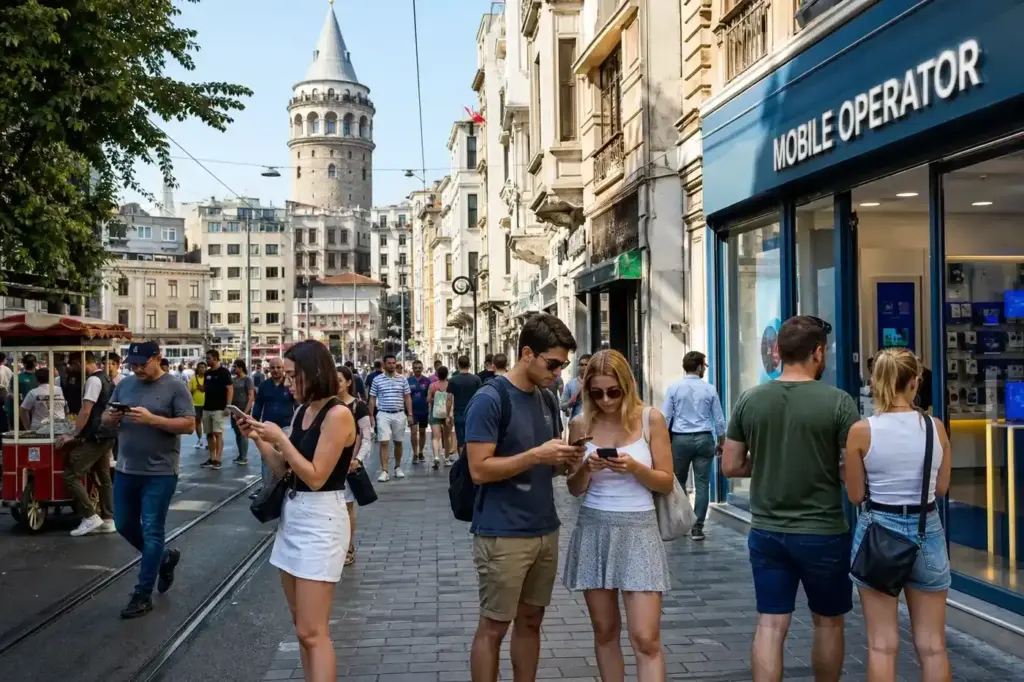
Whether you’re navigating to the Blue Mosque, checking maps in the Grand Bazaar, or sharing photos on the Bosphorus, having reliable mobile internet is essential. This guide walks you through the main ways tourists get connected in Istanbul: buying a local prepaid SIM card, installing an eSIM before you travel, and using free public WiFi. Each option has trade-offs in cost, speed, and convenience.
For most short-stay visitors, the recommended approach is to install a travel eSIM before departure. It takes five minutes and costs less than buying at the airport. If you prefer a Turkish phone number or plan a longer stay, a local prepaid SIM is straightforward to purchase. Free WiFi is available across the city but is inconsistent and slower. This guide shows you exactly how to do each.
Quick answer: The fastest way to get online in Istanbul is to install a travel eSIM (such as from Airalo or Nomad) on your phone before you travel—takes five minutes and works immediately on landing. If you prefer a physical SIM, buy a local prepaid tourist card from an official operator store for a Turkish number and local data. Free city WiFi is available but patchy and slow.
At a Glance
| Total time | eSIM installation: 5 minutes before travel. Local SIM purchase in-store: 15–30 minutes. WiFi registration: 5–10 minutes per connection. |
|---|---|
| Typical cost | Travel eSIM: ₺ to ₺₺. Local prepaid SIM: ₺₺. Free WiFi: free (limited daily data quota). |
What You Need Before You Start
- Passport (required for all SIM purchases)
- Unlocked phone (physical SIM) or eSIM-compatible phone
- Payment method: cash, credit or debit card accepted at shops and apps
- For eSIM: internet connection before arrival to download and install
- For city WiFi (iBBWiFi): mobile phone number to receive SMS verification code
Compare Your Options
| Option | Duration | Price | Notes |
|---|---|---|---|
| Travel eSIM (Airalo, Nomad, Holafly, Saily) | Activate in 5 minutes before travel; plan validity from 7–30 days | ₺ | No passport queue, no registration in-store. Activates immediately on landing. No Turkish phone number. Best for short visits; download and activate before departure via app. |
| Local prepaid SIM (Turkcell Tourist, Vodafone, Türk Telekom) | Purchase and activate in 15–30 minutes in store; valid 7–30 days | ₺₺ | Gives you a Turkish number for calls and SMS. Fastest coverage in Turkey. Requires passport registration and in-store visit. City stores cheaper than airport. Can top up data if needed. |
| Home mobile roaming (keep your regular SIM) | Works immediately; depends on your home provider | ₺₺₺ | Convenient if you have an inexpensive roaming plan. Often very expensive for data outside EU. Use only for short emergency calls or 1–2 GB. Best as backup only. |
| Free city WiFi (iBBWiFi) | Daily 1–5 GB quota; reconnect each day after registration | Free | Available in tourist squares, parks, metro, ferries, buses. No cost but limited speed (2 Mbps max) and unreliable during peak hours. Works well for maps and messaging, not streaming. |
| Airport WiFi only | One hour free at Istanbul or Sabiha Gökçen; buy more time if needed | Free | Good for urgent messages on arrival. Requires passport or Turkish phone number. Not sustainable for full stay. Best combined with another option. |
| Hotel or café WiFi | Available during your stay or visit; depends on location | Free | Widely available in central districts. Speed varies; often slower in high season. No registration needed; may require a purchase. Suitable for staying in one place. |
₺ budget · ₺₺ moderate · ₺₺₺ upscale · ₺₺₺₺ splurge. Price levels are estimates compared with typical prices for visitors.
Step-by-Step Instructions
Step 1: Choose your method before you travel
Decide whether to buy a travel eSIM now, purchase a local SIM on arrival, or rely on free WiFi. eSIM is fastest and cheapest upfront; local SIM gives you a Turkish number and predictable service; free WiFi works in major areas but is slow and limited. Most visitors combine methods: eSIM or local SIM as primary, free WiFi as backup.
Tip: If you're staying only one or two nights, free WiFi at your hotel plus the free hour at the airport may be enough.
Step 2: For eSIM: buy and install before departure
Download an eSIM app such as Airalo, Nomad, Holafly, or Saily on your phone using home WiFi or cellular data. Select a Turkey data plan (typical plans: 5–20 GB for 7–30 days). Purchase and scan the QR code to download the eSIM profile to your phone. Before boarding, go to Settings > Mobile/Cellular > Add Cellular Plan (iPhone) or similar (Android), and switch the default line to the new eSIM. Turn off data roaming on your home SIM to avoid charges.
Tip: Test the QR code scan and activation at home so you're not troubleshooting at the airport.
Step 3: For eSIM: activate on arrival
As soon as your plane lands or shortly after clearing immigration, enable the eSIM in your phone settings. Data should connect automatically. If not, enable airplane mode for 10 seconds, then disable it. You'll have internet before you leave the airport terminal, unlike those queuing for a physical SIM.
Tip: Keep your home SIM active if roaming is affordable; dual SIM and eSIM phones can receive calls and texts on both lines.
Step 4: For local SIM: locate an official operator store
At Istanbul Airport, find official booths for Turkcell, Vodafone Turkey, or Türk Telekom in the arrivals hall, just after customs. Turkcell generally has the best coverage across Turkey. For better prices, go to an official store in central Istanbul: Sultanahmet, Taksim, or Beyoğlu. Avoid street vendors and kiosks not clearly labeled as official.
Tip: City stores are significantly cheaper than airport shops. If your hotel is near an official store, wait and buy there.
Step 5: For local SIM: register and activate in store
Present your passport to the shop assistant. They will fill in a registration form (required by Turkish law for all SIM cards). Provide your hotel address or any Istanbul address. Hand over payment: cash, debit card, or credit card. The assistant inserts the SIM into your phone and activates it on the spot. Data should work immediately; confirm by opening a web browser or using Google Maps.
Tip: Always test the SIM card in-store before leaving. Ask the assistant how long the data package is valid and whether it renews automatically.
Step 6: For free WiFi (iBBWiFi): register your phone number
Look for the network name 'iBBWiFi' in your WiFi list (operated by Istanbul Municipality). Select it and open the login page. Enter your mobile phone number and wait for an SMS verification code. Enter the code to unlock a daily quota of free data (typically 1–5 GB). You can reconnect at any iBBWiFi hotspot by logging in again.
Tip: Registration requires any phone number; international roaming numbers work. Save the page wifi.ibb.gov.tr for quick login at different hotspots.
Step 7: Find free WiFi hotspots
iBBWiFi hotspots are in Sultanahmet Square, Taksim Square, Istiklal Avenue, major parks (Gülhane, Yıldız, Emirgan), public transport (metro, buses, ferries), and cultural sites. Connection is free but often slow during peak hours (10am–6pm). Speed is limited to 2 Mbps, making video streaming impractical. Use it for maps, messaging, and light browsing.
Tip: Istanbul Airport (IST) and Sabiha Gökçen Airport (SAW) also offer free WiFi; at IST you get one hour free via passport kiosk without needing a Turkish number.
Step 8: Optimize settings for reliable service
Keep both WiFi and mobile data enabled so your phone automatically switches to the faster option. In metro tunnels or areas with weak signal, WiFi may disconnect; manually switch to mobile data if needed. For sensitive transactions (banking, passwords), use a VPN on public WiFi. Save offline maps of Istanbul (Google Maps, Maps.me) so you can navigate without internet.
Tip: Use WiFi calling (WhatsApp, Telegram) for free international calls instead of voice SIM if you don't need a local number.
Common Mistakes to Avoid
- Buying a SIM card at Istanbul Airport without checking city prices first. Airport packages are marked up 30–50% compared to official city stores. Unless you need immediate connection before leaving the terminal, wait 20 minutes and buy in Sultanahmet or Taksim for much better value.
- Buying from unofficial street vendors or resellers instead of official operator shops. Resellers overcharge, may not properly register your card, and offer no support. Always ask the person helping you 'Are you from the official [Turkcell/Vodafone/Türk Telekom] store?' and look for official signage.
- Forgetting to bring your passport. Shops will not sell a SIM card without passport registration—it is a legal requirement in Turkey. Not carrying it means wasting time returning to your hotel.
- Not testing the SIM in-store before leaving. Ask the assistant to confirm data is working (use Google Maps or a browser). If there is a problem, you are still at the shop and can get help quickly, not stranded outside.
- Assuming free city WiFi (iBBWiFi) works everywhere and will be fast enough for navigation. It does not cover all streets and is slow (2 Mbps max). Rely on it for backup only, not as your main internet source during a full day of sightseeing.
- Using public WiFi without a VPN for banking or password entry. Open networks are not secure. Use a trusted VPN app if you must handle sensitive data, or defer banking until you reach a private connection.
- Not enabling airplane mode after installing an eSIM. Some phones may prioritize the home SIM for data instead of switching to the new eSIM. Airplane mode clears this; turn it on for 10 seconds, then off again, to force a reconnect.
Tickets, Payment and Booking
No booking is needed for mobile data. For eSIM: Download an app such as Airalo, Nomad, Holafly, or Saily on your home WiFi before you travel. Purchase and activate via the app. International credit and debit cards are accepted. Activation is instant and works on all phones. For local SIM: Walk into any official store (Turkcell, Vodafone, Türk Telekom) with your passport. No advance booking. Payment is cash, debit card, or credit card at the counter. Registration happens on the spot. Avoid resellers. Street vendors, tourist kiosks, and independent shops often overcharge and provide poor support. Always verify the shop is an official operator store by looking at the signage and asking directly. For city WiFi (iBBWiFi): Free and open to all. Register your phone number once via the login page to unlock your daily quota. No payment required.
Istanbul Vibes Tips
- If your eSIM data runs low mid-visit, buy a top-up via the eSIM app (if available) or switch to free iBBWiFi in major squares. Do not buy a second SIM card as a top-up; it complicates switching between cards.
- Download Google Maps and Maps.me offline before losing signal. Offline maps let you navigate without using data, essential in metro tunnels and dense neighborhoods where signal drops.
- Use WhatsApp, Telegram, or Viber for international calls over data instead of voice calls. A local SIM call to abroad is expensive; data-based messaging is free and works on any SIM or eSIM.
- Public WiFi on the metro and ferries is unreliable when moving through tunnels. Use mobile data for real-time navigation and fall back to WiFi in stations and stationary areas.
- If you travel outside Istanbul to Cappadocia or Ephesus, Turkcell coverage is best in rural areas. Vodafone and Türk Telekom signal drops significantly outside cities. Plan ahead if you need reliable internet away from major towns.
- Register for iBBWiFi once with your phone number and log in at any hotspot. Save the login page so you can reconnect quickly without searching for it each time.
Explore Nearby How to Use Mobile Data and Wifi
Sights near How to Use Mobile Data and Wifi
 Hagia Sophia · typical visit: 1–1.5 hours8 min on foot from Gülhane metro, Open daily 09:00–19:30
Main image: AI-generated illustration. It may not show the place exactly as it looks.
 Blue Mosque · typical visit: 45–75 minutes3 min on foot from Gülhane metro
Main image: AI-generated illustration. It may not show the place exactly as it looks.
 Grand Bazaar · typical visit: 2–4 hours4 min on foot from Beyazıt-Kapalıçarşı metro, Open 08:30–19:00, closed Sun
Main image: AI-generated illustration. It may not show the place exactly as it looks.
 Topkapi Palace · typical visit: 3–4 hours without Harem; 4–5 hours with Harem15 min on foot from Gülhane metro, Open 09:00–18:30, closed Tue
Main image: AI-generated illustration. It may not show the place exactly as it looks.
Related guides
 How to Get from Istanbul Airport to the City Centre
Main image: AI-generated illustration. It may not show the place exactly as it looks.
 How to Get from Sabiha Gökçen Airport to the City Centre: Routes
Main image: AI-generated illustration. It may not show the place exactly as it looks.
 Vodafone Turkey: Stores, SIM Cards and Mobile Connectivity in Istanbul
Main image: AI-generated illustration. It may not show the place exactly as it looks.
 Finding a Doctor or Clinic in Istanbul: What Tourists Need to Know
Main image: AI-generated illustration. It may not show the place exactly as it looks.
Browse more: All How-To · All SIM and Internet
FAQ
Do I need a SIM card or eSIM at all, or is free WiFi enough?
Free WiFi alone is not reliable enough for a full day. Hotspots are scattered, limited to 1–5 GB per day, and slow during peak hours. A primary internet source (eSIM or local SIM) is essential for navigation, bookings, and emergencies. Use free WiFi only as backup when you are in a major square or your hotel.
What is the cheapest way to get mobile data?
A travel eSIM (Airalo, Nomad) is usually cheaper per GB than a local SIM and avoids airport markups. For 5–10 GB over 7 days, eSIM typically costs less upfront. If you need a Turkish phone number or plan a longer stay, a local Türk Telekom SIM from a city shop can be competitive, but requires a 15-minute store visit and passport.
Can I use my home country's mobile roaming in Istanbul?
Yes, if your provider has roaming agreements with Turkish operators. Check your home provider's rates first; roaming is often very expensive outside EU. Using 1–2 GB over a week could cost more than an eSIM. Keep roaming as a backup only for emergencies, not daily use.
Which operator (Turkcell, Vodafone, Türk Telekom) is best?
Turkcell has the broadest coverage, especially outside major cities. Vodafone and Türk Telekom are adequate in Istanbul and often cheaper. For a city-only trip, all three work well. If you travel to Cappadocia or smaller towns, Turkcell coverage is noticeably better. Check current tourist package offers; prices and data allowances change.
Do I need a Turkish phone number, or is eSIM (data-only) enough?
Data-only eSIM is enough for most tourists. Use WhatsApp, Telegram, or Google Meet for international calls and messaging—they work on data and are free. A Turkish phone number (local SIM) is useful only if you book services locally, arrange pickups, or need SMS verification from Turkish businesses. Most visitors never use voice calls.
Can I buy an eSIM while already in Istanbul?
Technically yes, but it is inconvenient. Some eSIM provider websites are blocked inside Turkey, and your phone may not accept a new profile until the current network connection is reset. Install eSIM at home before you travel. If you arrive without data, use the airport's free WiFi to purchase an eSIM, then restart your phone.
What if my phone does not support eSIM?
Check your phone's settings: Settings > Cellular > Add Cellular Plan (iPhone) or Settings > Network > SIM Manager (Android). If this option does not appear, your phone is likely single-SIM-only and eSIM is not available. Buy a physical prepaid SIM card at an official operator store instead. Ensure your phone is unlocked before insertion.
Is it safe to use public WiFi (iBBWiFi) for banking or passwords?
Public WiFi is not encrypted and is vulnerable to interception. Do not enter passwords, PIN codes, or banking details on public WiFi. If you must access your bank account, use a trusted VPN app first, or defer banking to your hotel's private WiFi or use mobile data from your SIM card.
Istanbul Vibes is a one-person project. A coffee keeps it going

Take this guide with you
Get a free PDF of this guide to print or read offline: key facts, tips and a map link on a few clean pages.
Report an issue on this page
How we research and update our guides
About this guide: AI assistance and accuracy
This guide is created with the help of AI and is based on official sources where available. Mistakes can still happen. Opening hours, prices, rules and other details are given to the best of our knowledge as of the date shown and can change without notice. It offers general recommendations only, not professional, legal or travel advice. Please confirm important details with the official source before you travel; you are responsible for your own plans and decisions.
* Affiliate link: as an Amazon Associate we earn from qualifying purchases at no extra cost to you.